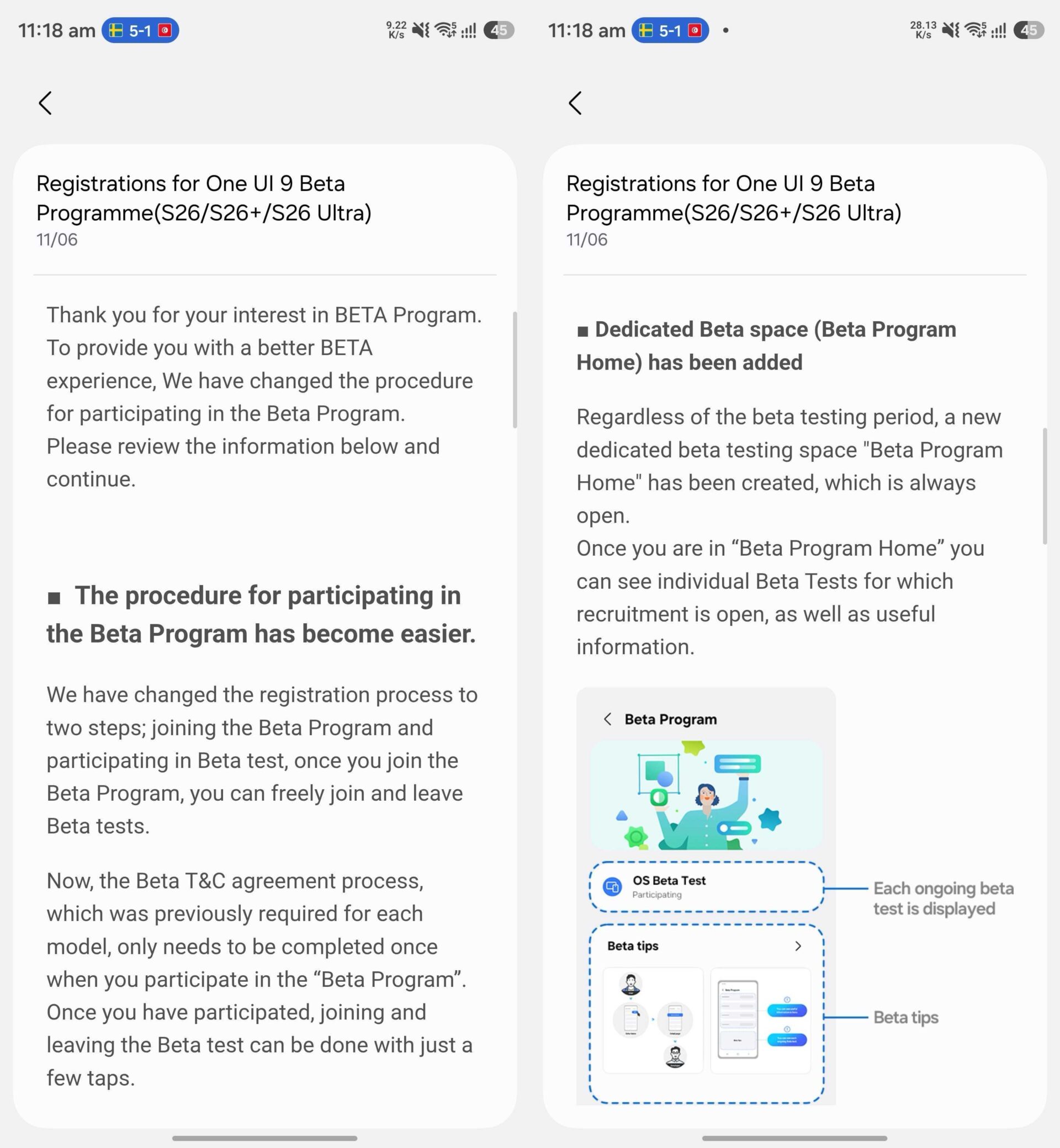

Samsung has announced changes to the One UI Beta Program to make it easier for users to join and leave beta programs at any time. The company has published a notice in the Samsung Members app outlining the changes and explaining the updated process for joining and leaving beta programs, starting with One UI 9.0.
Based on the notice published in the Samsung Members app, Samsung has simplified two steps in the registration process for joining the One UI Beta Program. Once enrolled, users can freely join and leave eligible beta tests.
- Samsung says that the Beta Terms and Conditions agreement only needs to be accepted once when participating in a beta program. After completing the agreement, joining and leaving future beta programs can be done with just a few taps. Previously, users had to accept the Beta Terms and Conditions separately for each new device model.
- Samsung has also created a permanent One UI Beta Home section within the Samsung Members app. This section will remain visible regardless of whether a beta testing period is currently active. Inside the section, users can view all beta programs that are available for their device. For each new One UI Beta Program, Samsung will also display a banner at the top of the Samsung Members app.

You can join a One UI Beta Program either through the beta program announcement banner on the home screen or through the One UI Beta Home section in the Samsung Members app.

When joining a beta program for the first time, you must accept the Beta Terms and Conditions agreement. The agreement remains valid until consent is withdrawn.
You can leave a beta program at any time by navigating to the More menu on the beta program’s details page. From there, you can tap the Withdraw from beta program button at the bottom of the screen.
Even after leaving a beta program, you can rejoin it at any time. Alternatively, you can return to the latest stable version of One UI available for your Galaxy phone or tablet.

Samsung has also improved the Tips section in the Samsung Members app. It now includes guidance on the One UI Beta Program, registration and enrollment procedures, data backup, rolling back to a stable software version, and answers to frequently asked questions (FAQs), as shown in the screenshots below.

Slowly but surely, Samsung is bringing the One UI Beta Program experience closer to the way Apple manages iOS, iPadOS, and macOS beta programs. This year, the company expanded the One UI 8.5 Beta Program to more Galaxy devices than ever before. With One UI 9.0, Samsung appears poised to improve the beta experience even further.


Post a Comment